This is the most complex way to generate the code. First the code for the JETemplate is generate along the lines described in Generate JETemplate. The resulting code is then improved with AST.
You start with calling the wizard
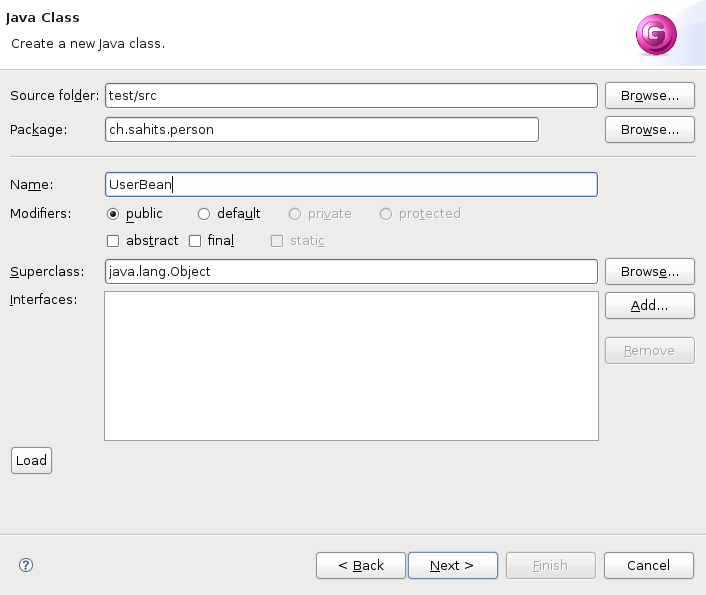
File->New->Other...->Java->Java Code Generation. With the
first page of the wizard you may be familiar since it is basicly
identical with the Java class wizard although some elements are missing
that are not needed here. If you had the focus on a project with a
source folder this Source folder is already inserted. The same is true
for the package. Supply the needed elements.
Proceed to the second page with "Next".
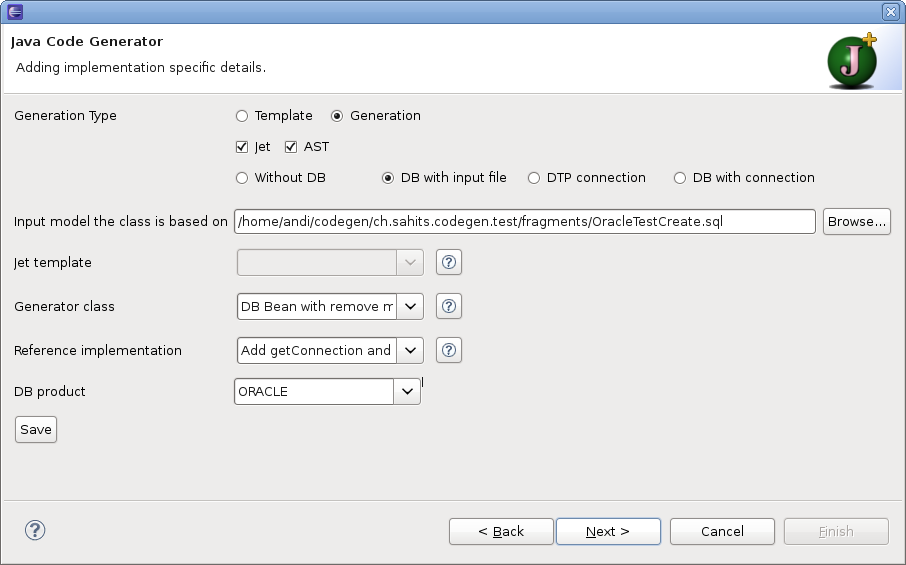
On the second page in the first section you specify the way to generate the code. For the generation with AST you swap the radio button to "Generation" and check the checkbox AST. Generation states that the code is generated from scratch. Jet in the second row says that a JETemplate should be generated. AST in the same row indicates that the code generation is done solely with AST. The generator class (ASTBeanWithDelete) must implement the interface IASTGenerator. The third row tells something about the input model. With "DB with input file" you specify the input model through an input file.
Now you have to specify the other needed input fields. As an
"Data Input" file we choose the SQL
create script for an USER table. As you checked the AST box you must
supply a generator class that handles the generation of the code with
AST. Since the create script is for an Oracle table we choose the Oracle
database product.
As you choose the option "DB with input file" the third page is basicly optional. Though the choosen generator class implements the interface IDBAccess, which indicates that DB access information are needed for complete file generation.
Proceed to the second page with "Next".
Specifiy the needed values
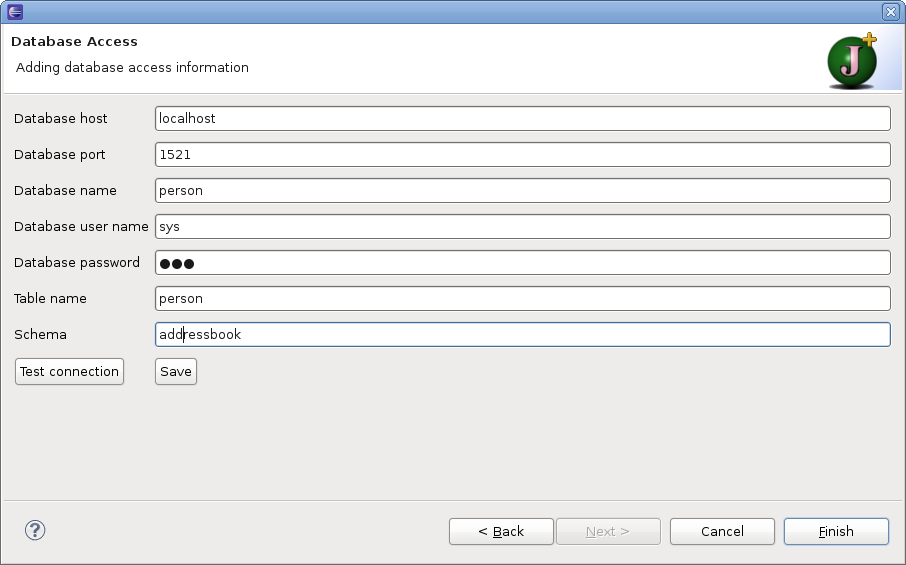
Since you don't need the connection to retrieve the table structure you can proceed without testing. Hit "Finish" to complete the process.
This produces the following code:
package ch.sahits.person;

import java.sql.Date;
import java.util.Hashtable;
import java.sql.Connection;
import java.sql.DriverManager;
import java.sql.SQLException;
import java.sql.Statement;

/**
 * This class represents the database table
 * USER.
*/
public class UserDAO {

    /** <code>name</code>holds the value of the field NAME */
    private String name;
    /** <code>surname</code> holds the value of the field SURNAME */
    private String surname;
    /** <code>email</code> holds the value of the field EMAIL */
    private String email;
    /** <code>bitrhDate</code> holds the value of the field BITRH_DATE */
    private Date bitrhDate;

   /**
     * Constructor initializes the bean with a list of values.
     * @param values Hashtable
     */
   public UserDAO(Hashtable<String,Object> values){
        init(values);
    }

   /**
     * Initialize the bean with a list of values.
     * @param values Hashtable
     */
    private void init(Hashtable<String,Object> values){
	  if (values.contains("NAME")){
	       setName((String)values.get("NAME"));
	  }
	  if (values.contains("SURNAME")){
	       setSurname((String)values.get("SURNAME"));
	  }
	  if (values.contains("EMAIL")){
	       setEmail((String)values.get("EMAIL"));
	  }
	  if (values.contains("BITRH_DATE")){
	       setBitrhDate((Date)values.get("BITRH_DATE"));
	  }
    }

    /**
     * Retrieve the value of the field NAME.
     * @return the value of the field
     */
    public String getName(){
        return name;
    }

    /**
     * Set the value of the field NAME.
     * @param name value to be set for NAME
     */
    public void setName(String name){
        this.name = name;
    }

    /**
     * Retrieve the value of the field SURNAME.
     * @return the value of the field
     */
    public String getSurname(){
        return surname;
    }

    /**
     * Set the value of the field SURNAME.
     * @param surname value to be set for SURNAME
     */
    public void setSurname(String surname){
        this.surname = surname;
    }

    /**
     * Retrieve the value of the field EMAIL.
     * @return the value of the field
     */
    public String getEmail(){
        return email;
    }

    /**
     * Set the value of the field EMAIL.
     * @param email value to be set for EMAIL
     */
    public void setEmail(String email){
        this.email = email;
    }

    /**
     * Retrieve the value of the field BITRH_DATE.
     * @return the value of the field
     */
    public Date getBitrhDate(){
        return bitrhDate;
    }

    /**
     * Set the value of the field BITRH_DATE.
     * @param bitrhDate value to be set for BITRH_DATE
     */
    public void setBitrhDate(Date bitrhDate){
        this.bitrhDate = bitrhDate;
    }

	/**
	 * Remove the record from the database indicated by the key values of this object.
	 * @return  number of deleted records.
	 * @throws ClassNotFoundException
	 */
	public int delete() throws SQLException, ClassNotFoundException {
		String sql = "delete from USER WHERE EMAIL='" + getEmail() + "'";
		Connection con = getConnection();
		Statement stmt = con.createStatement();
		return stmt.executeUpdate(sql);
	}

	/**
	 * Set up a connection to the database
	 * @return  connection
	 * @throws ClassNotFoundException
	 * @throws SQLException
	 */
	private Connection getConnection() throws ClassNotFoundException,
			SQLException {
		Class.forName("oracle.jdbc.driver.OracleDriver");
		return DriverManager.getConnection(
				"jdbc:oracle:thin:@localhost:1521:person", "sys", "person");
	}

}
The same result can be achieved (at least if you have the same
structure defined) with option "DB with connection" indicating that the
structural information on the table is retrieved through the database
connection. Now you must not specify a "Data Input" file. The Jet
template and DB product are still needed. Note that for the generation
with a connection only a MySQL database is supported (in version 0.9.3).
Other database products can be added though extension.
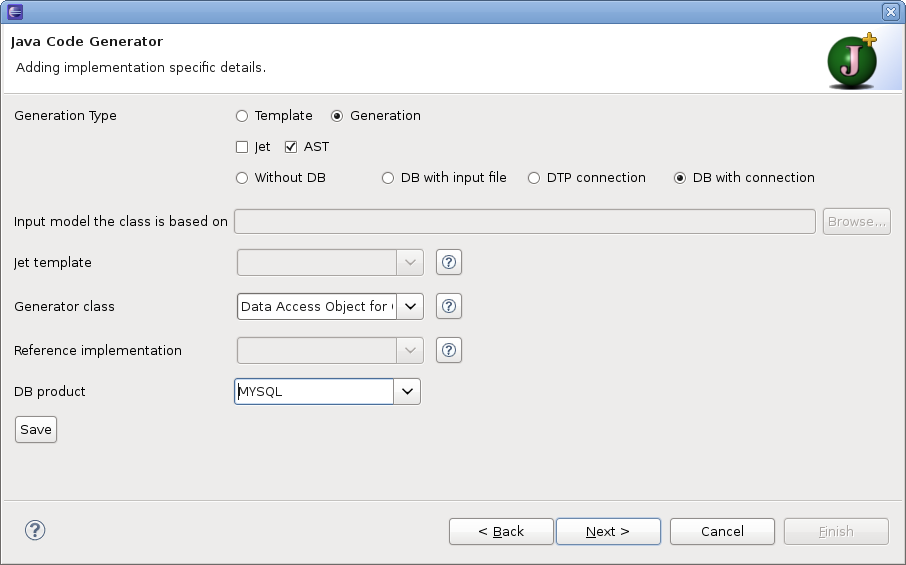
Now you must proceed with Next to the third page to supply the
data needed for the connection. Host, port and user name are already
supplied with sensible values. Add the database name, password and table
name.
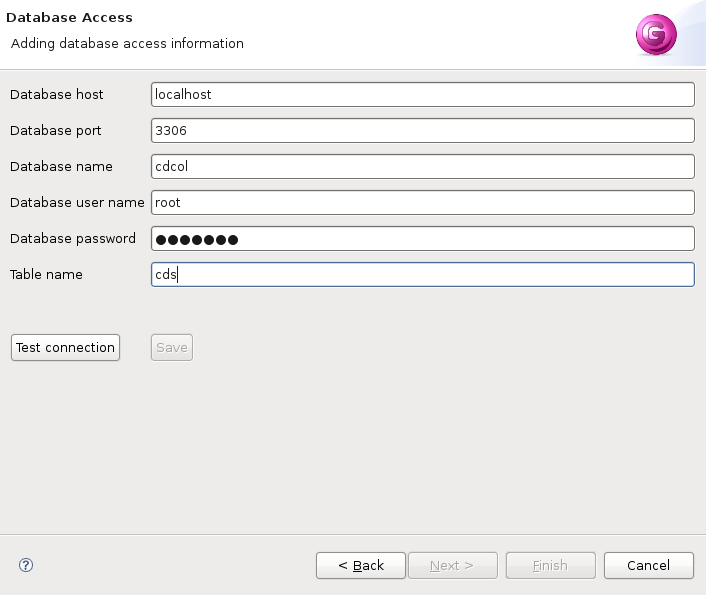
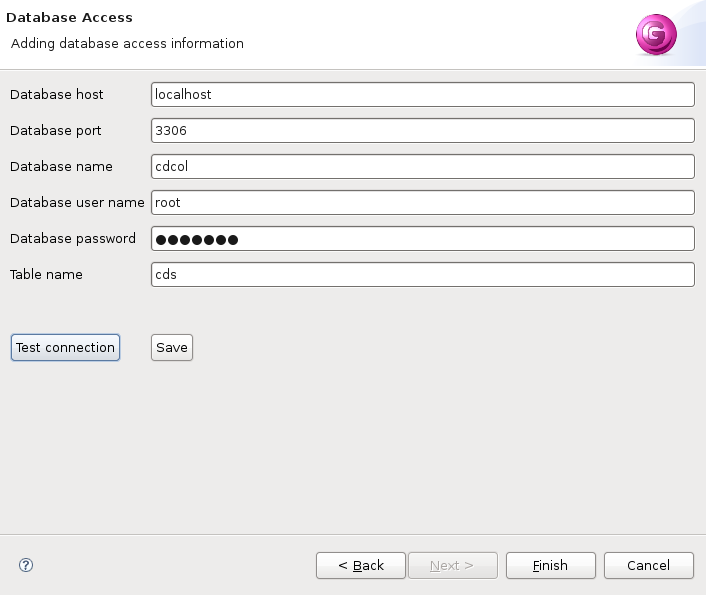
Before you can finish you must verify that the connection data is
valid by hitting the button Test connection.
This Project is hosted at:
Last modified: